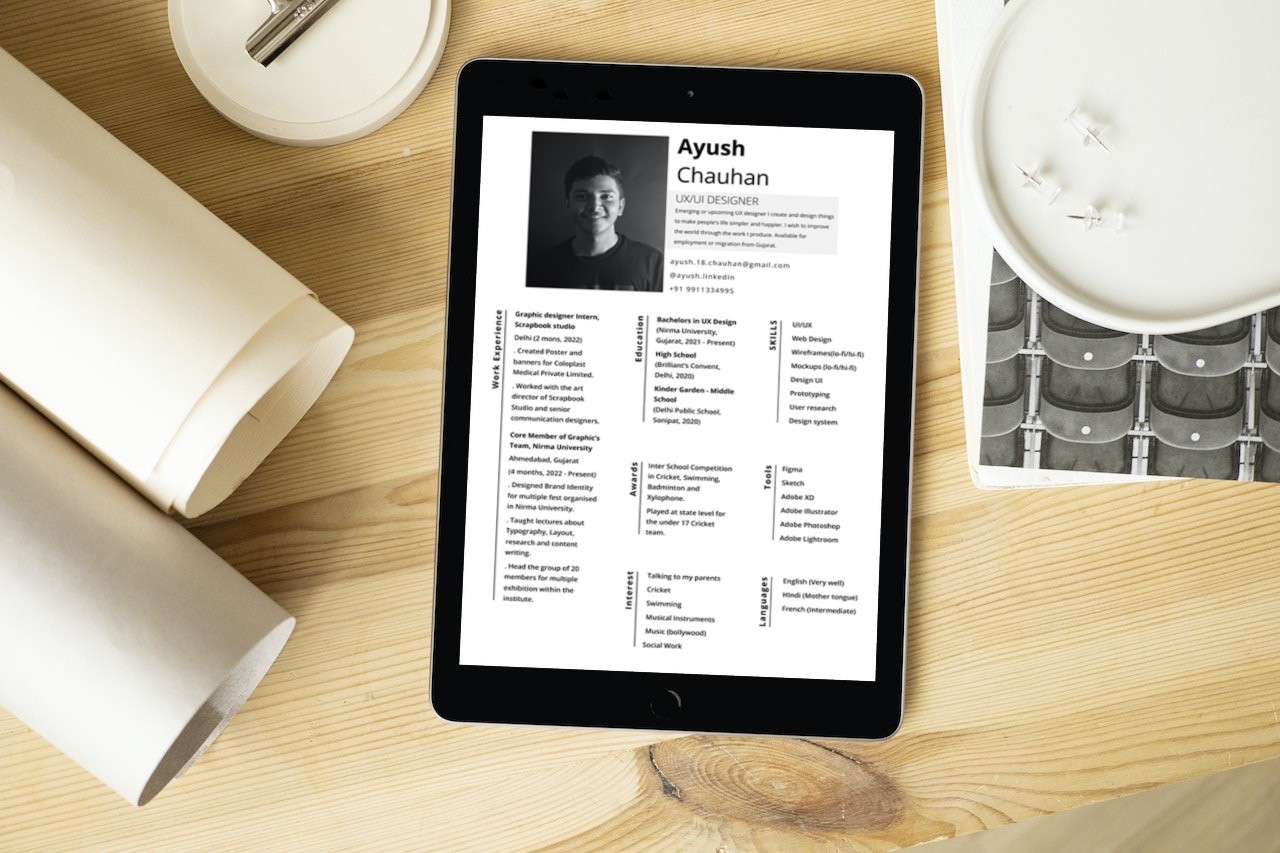
The ZEP Resume Builder is an innovative online platform developed with the support of our parent company, ZEP Analytics. This tool is designed to simplify the resume creation process, making it accessible and efficient for users from various professional backgrounds.
my role
Client
Duration
Tools
Figma
Adobe Illustrator
contribution
Team
About Parent Company:
ZEP Analytics
Zep Analytics stands as an AI-powered educational technology firm with a primary goal of delivering high caliber education through prerecorded content and virtual boot camps. These learning experiences cover cutting-edge subjects like Data Science, Machine Learning, Artificial Intelligence, and Data Analytics, among others.
Process
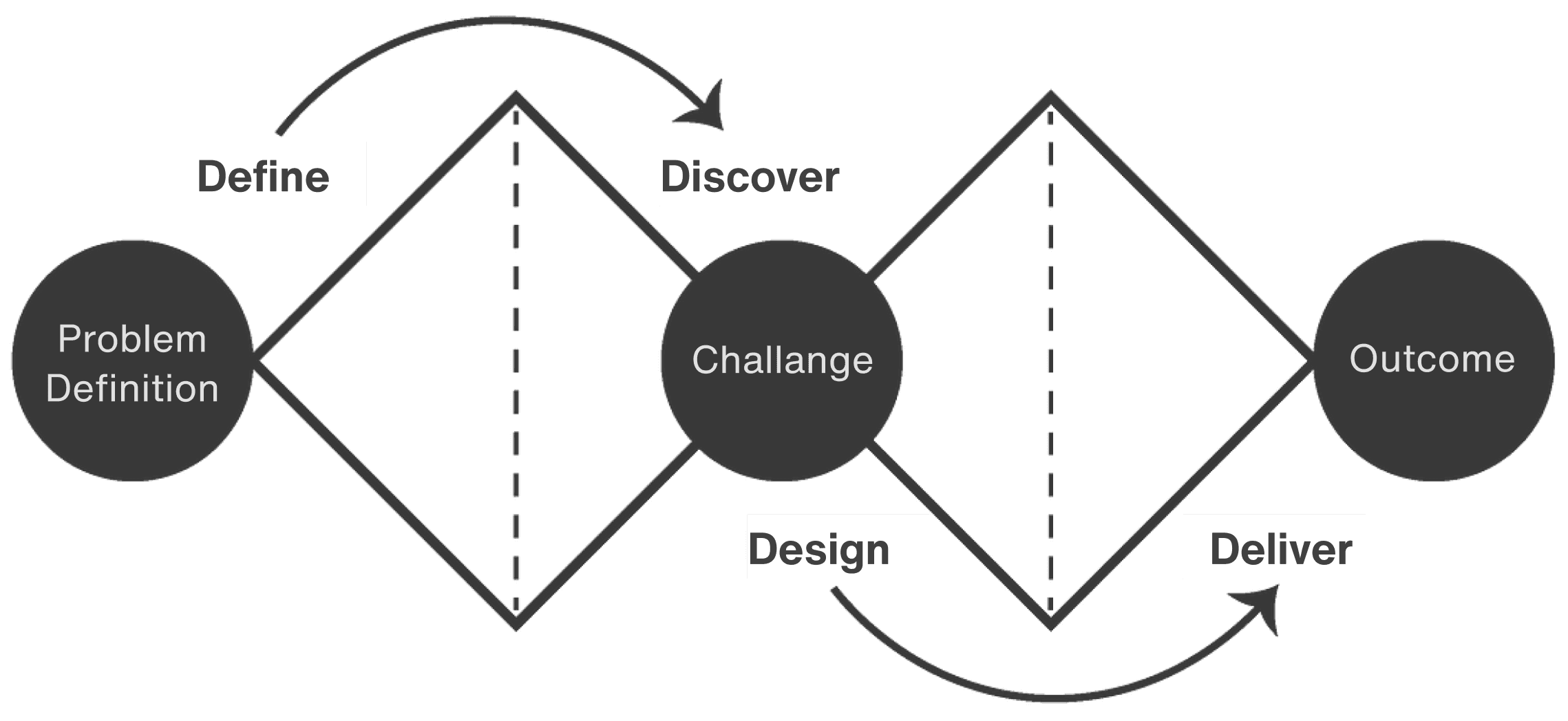
Developed our website through following Steps:
Define, Discover, Design, Deliver
01 define
objective
This project is to create an intuitive and customisable designed platform to address the specific needs and challenges faced by job seekers in creating resumes.
Our goal was to develop a tool that not only streamlines the resume creation process but also empowers users to express their individuality and tailor their resumes to specific job roles.
project scope
Initial Challenges & Constraints
User Recruitment: One of the early challenges was recruiting a diverse group participants who represented a wide range of job seekers, from recent graduates to experienced professionals.
Time Constraints: The project had a tight timeline, which required us to be efficient in our research and design processes.
Balancing Features: We had to make strategic decisions about which features to prioritize for the initial launch
Based on our existing research on resume builder websites?
We identified several key pain points that job seekers experienced with existing resume builders:
Rigid Templates: Users felt constrained by the lack of flexibility in current resume builders, which often forced them into a one-size-fits-all approach.
Poor Mobile Experience: Many users found it challenging to create or edit resumes on mobile devices due to poorly optimized interfaces.
Lack of Guidance: Users, particularly those new to the job market, struggled with understanding how to structure their resumes and highlight their strengths effectively.
Market Gap:
Most existing tools either focused on extensive customisation or mobile support, but none excelled in both areas. Additionally, there was a clear need for more intuitive user guidance, particularly for those who were less familiar with the process of resume creation.
HYPOTHESIS
Assumptions:
We hypothesized that by providing a resume builder with enhanced customisation options and superior mobile compatibility, users would have a more positive experience and feel more confident in creating resumes that truly represent their unique skills and experiences.
Improved Engagement
We anticipated that users would be more likely to engage with the platform and complete their resumes if they found the tool easy and flexible.
Trends & innovation
Market Trends:
AI-Powered Tools: Many resume builders are beginning to integrate AI-driven suggestions for both content and design.
Mobile-First Design: As more users rely on their mobile devices for job searches, ensuring that our platform is fully optimised for mobile.
Data-Driven Insights: Some platforms offer users data on how their resumes perform in terms of keywords, layout, and design.
Innovative Opportunities
Mobile-First Resume Builder
Most competitors offer only desktop-optimized experiences, leaving the mobile devices. A mobile-first design approach would set ZEP apart from the competition and address a major pain point for users.
Rerouting the research: Competitive Research
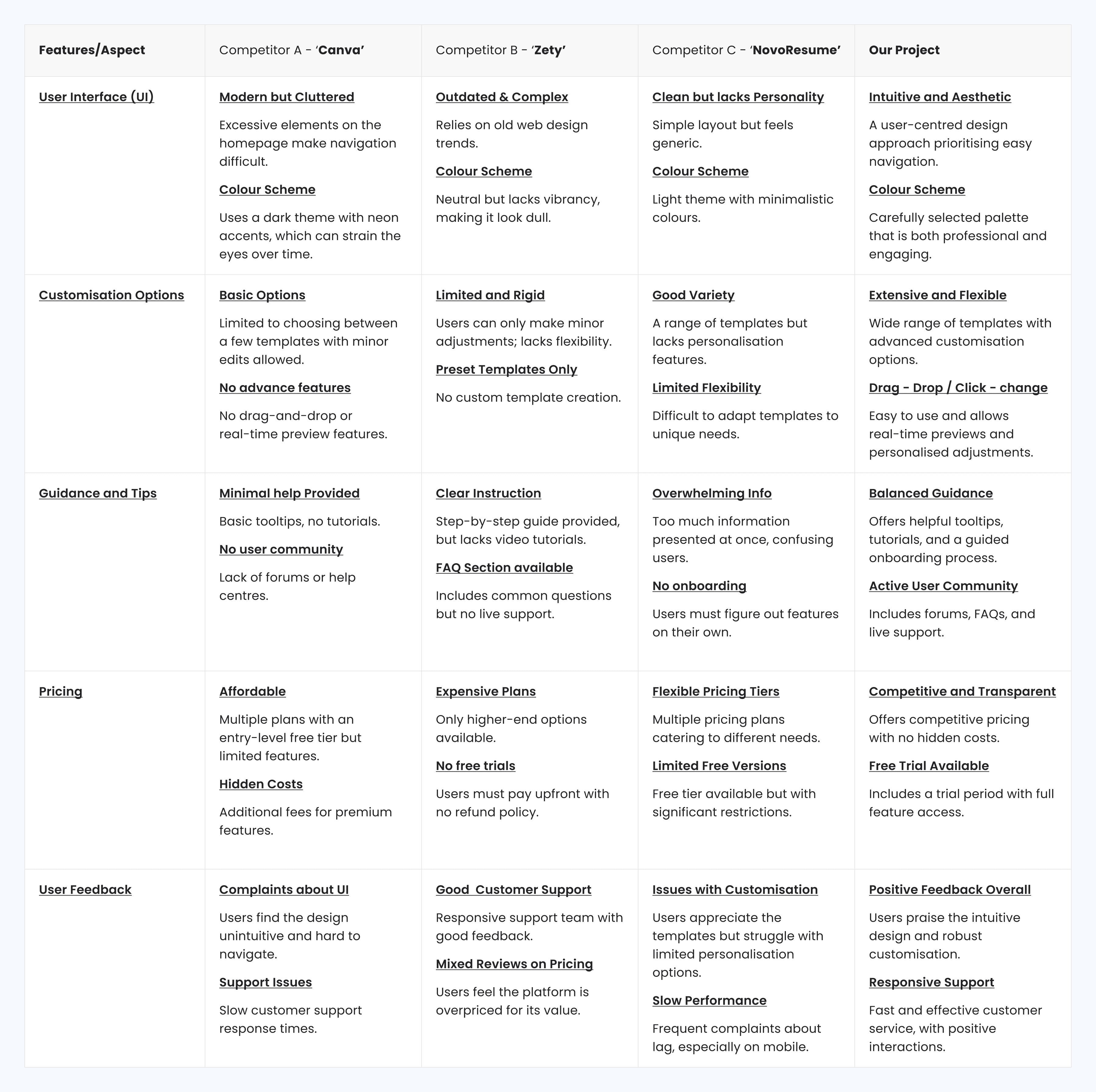
We conducted a competitive analysis of existing resume builder platforms.
Our analysis focused on 3 key competitors in the Indian market, all of which were chosen for their prominence & relevance to our target users.
These included platforms like Canva, Zety, and Novorésumé.

Key Takeaways
Canva
Offers excellent design flexibility but lacks specific features tailored to resume creation (e.g., content suggestions or guided templates). Most users are forced to design their resumes from scratch, which is time-consuming.
Zety
Provides helpful content suggestions but falls short in specifically resume customization. Users felt restricted by the limited number of template options, with little ability to modify the structure of their resumes.
Novorésumé
It balances the good design and content flexibility but has a poor mobile experience for the users. Many of the users found it hard to edit resumes on any mobile devices, leading to frequent abandonments of a lot of task.
identifying the user needs
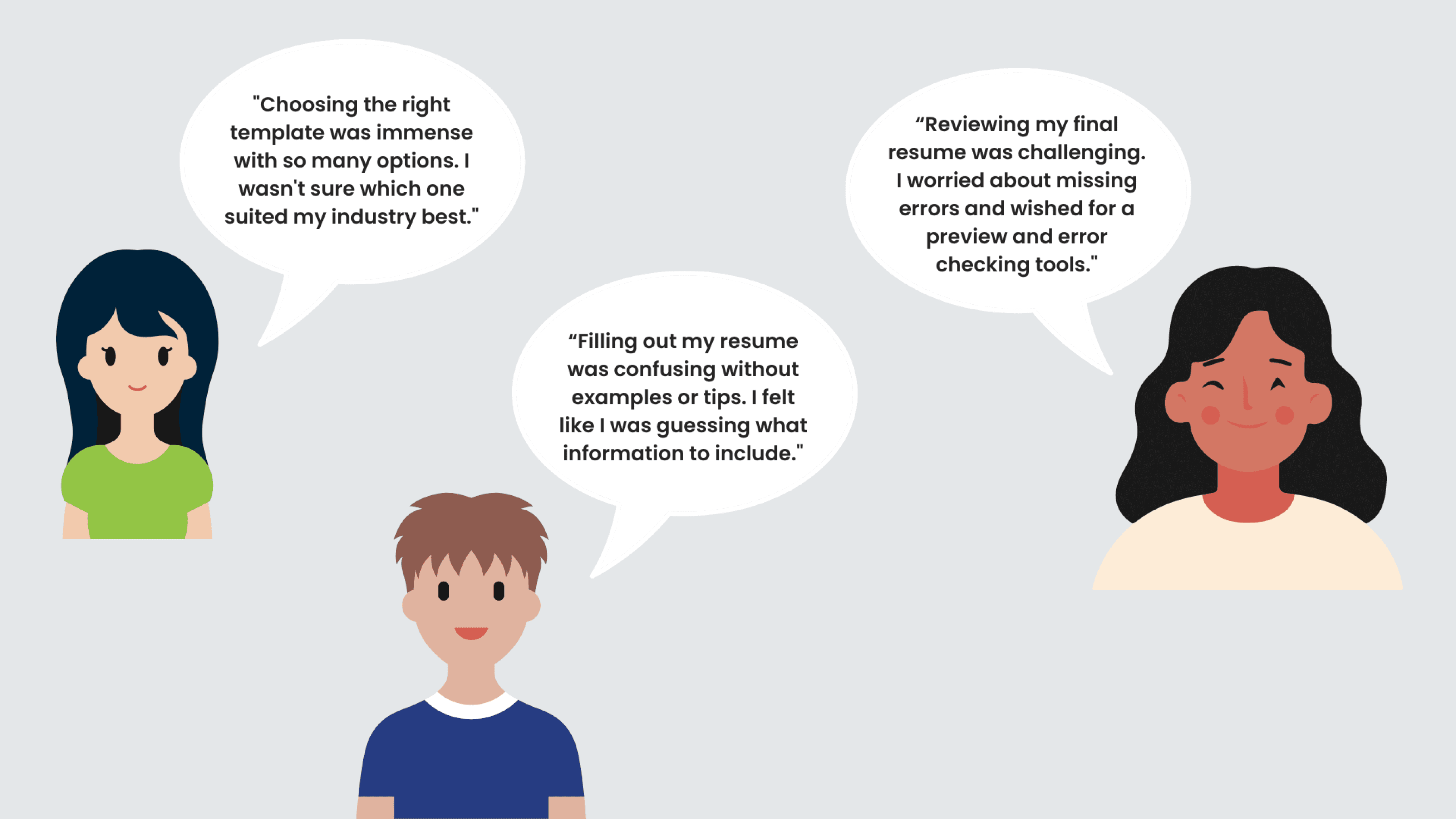
User persona's
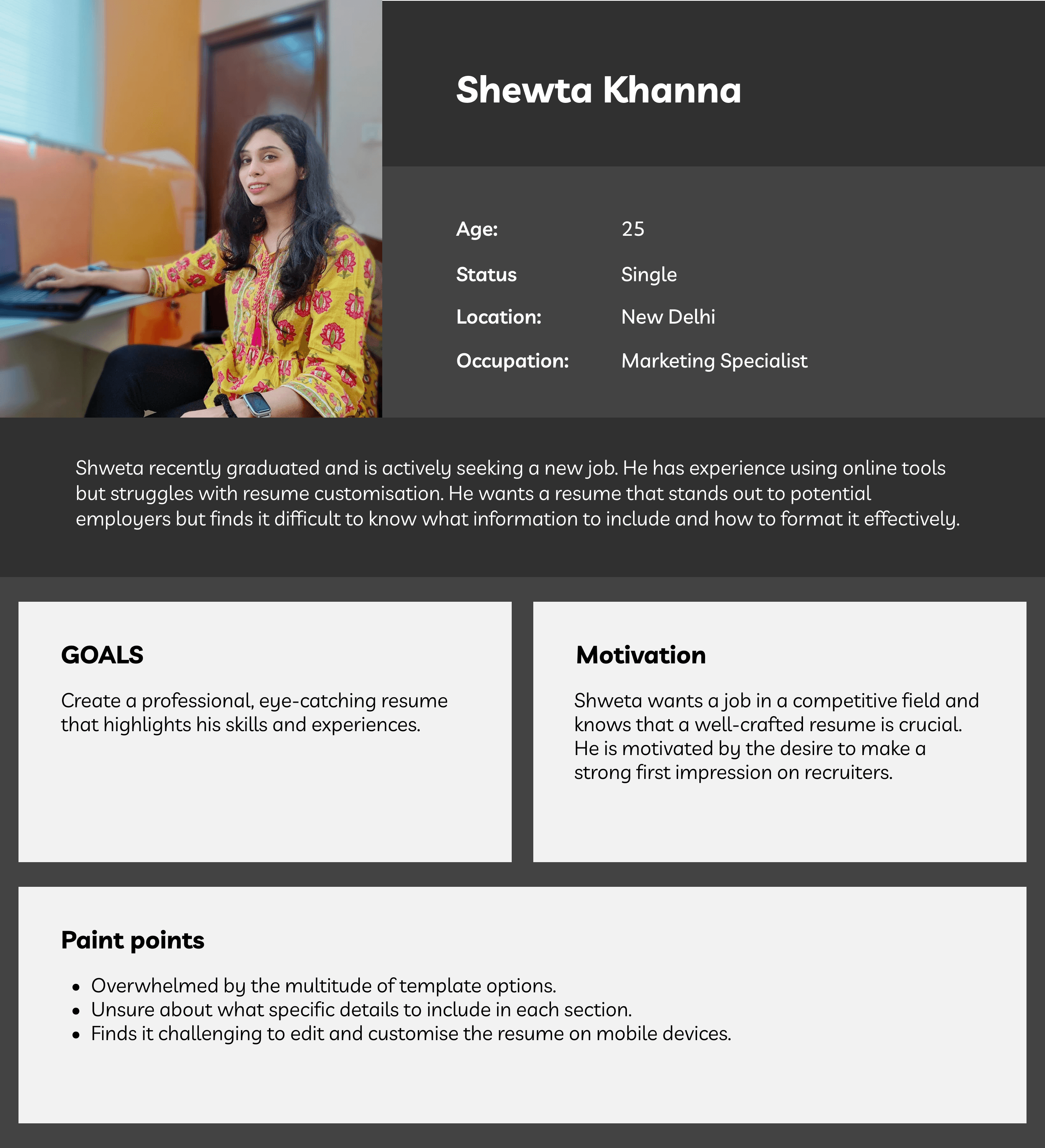
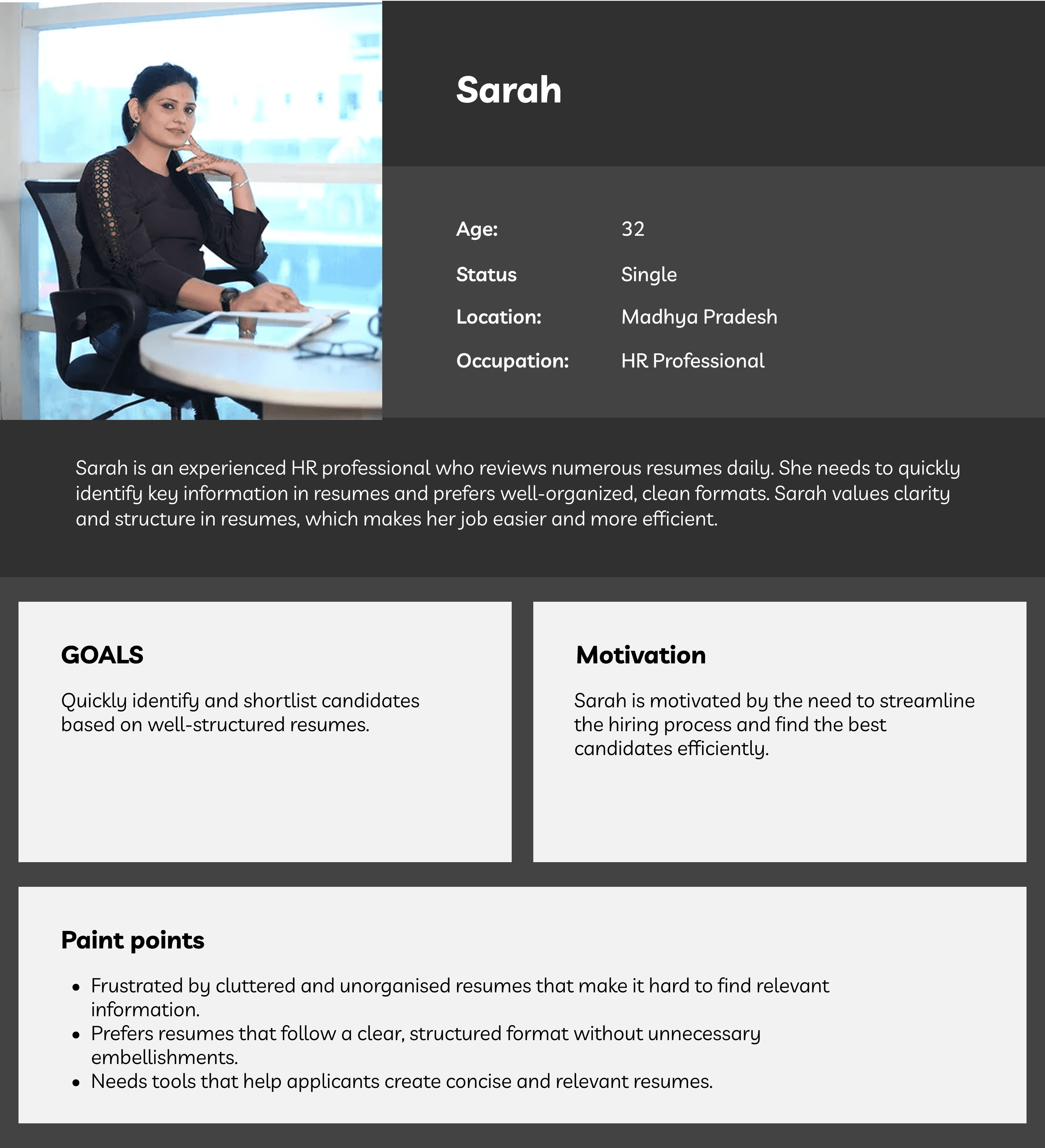
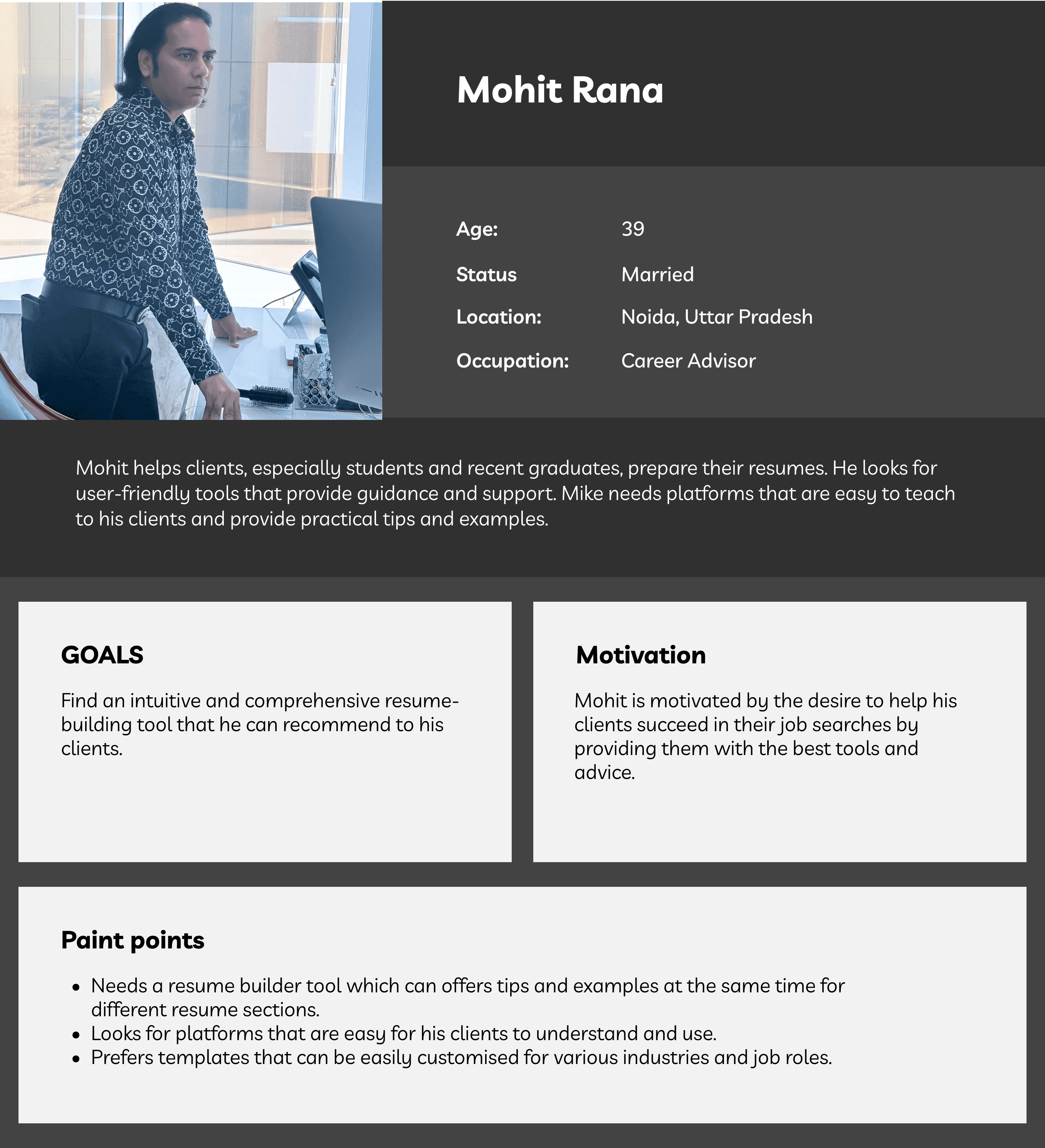
From the user research insights, I created detailed user personas based on the same 15-18 interview participants. Include demographics, professional backgrounds, and key pain points.
Key personas:
Job Seekers, HR Professional, Career Advisors
User Journey Mapping
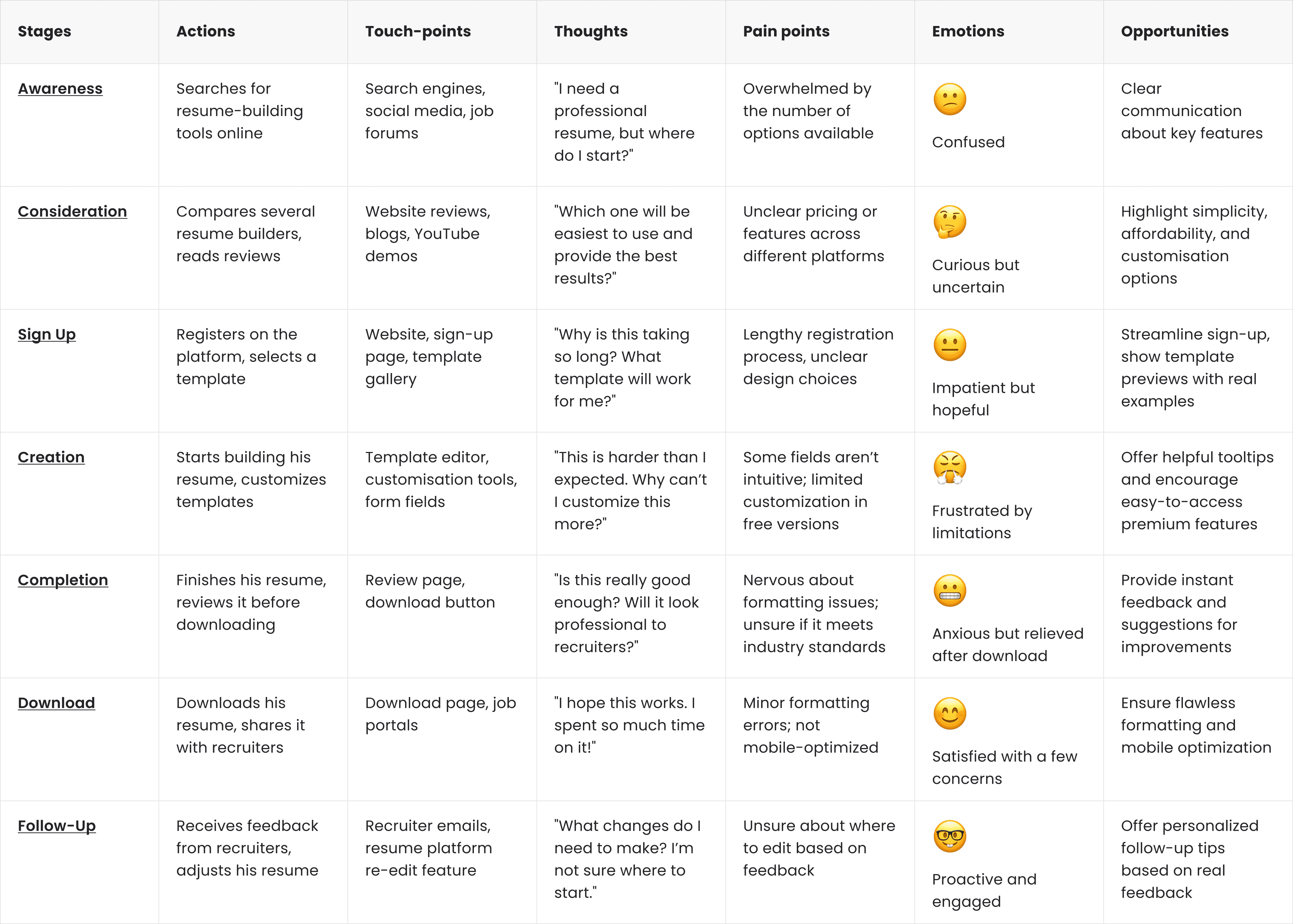
Why Shweta's persona alligns with the journey map.
Limited Customisation Frustration
Her frustration with limited free features matches her pain point of wanting flexibility without complexity.
03 design
Prioritising with the
MVP mindset -
Key takeaways from
Comparative Analysis and UX Assessment:
Simplified User Interface
Customization Flexibility
Mobile Responsiveness
Guided Assistance (inclusive of tooltip etc)
Pricing Transparency (Competitors often hide features behind paywalls)
Collaborating brainstorming sessions:
To initiate the Design phase, we conducted brainstorming sessions with cross-functional teams, including designers, developers, and stakeholders. Key discussion points included:
User Experience Enhancement: How can we streamline the resume-building journey?
Customization Options: What features can we introduce to allow personalization while maintaining simplicity?
Where and how will the user achieve the product goals?
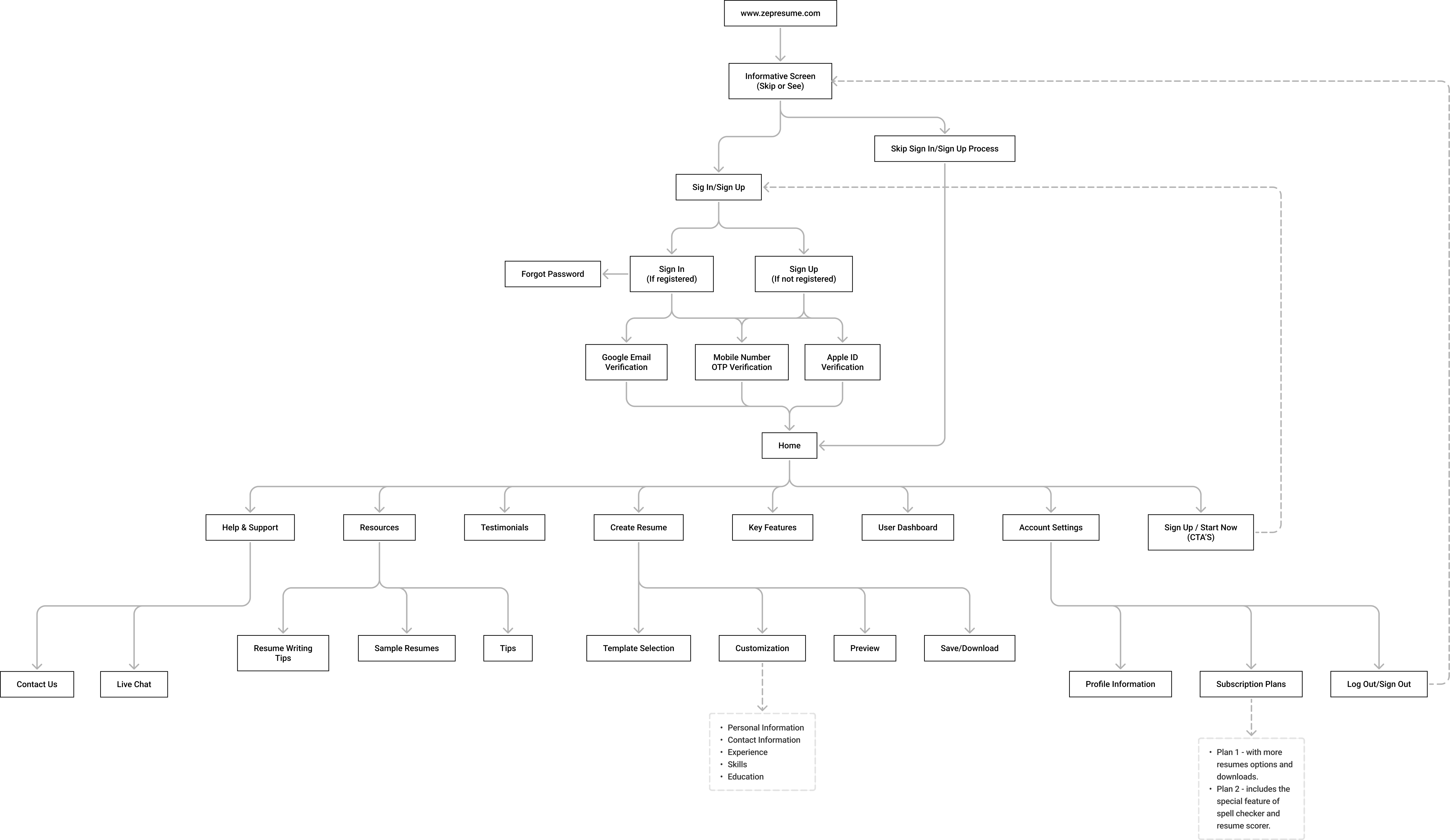
Collaborated with the Product Manager, Business analyst and Tech lead to create a high level Information architecture.Key elements included:
Primary Navigation: Clearly labeled sections guiding users through their journey.
Content Grouping: Logical grouping of related components (e.g., contact info, work experience) for easy access.
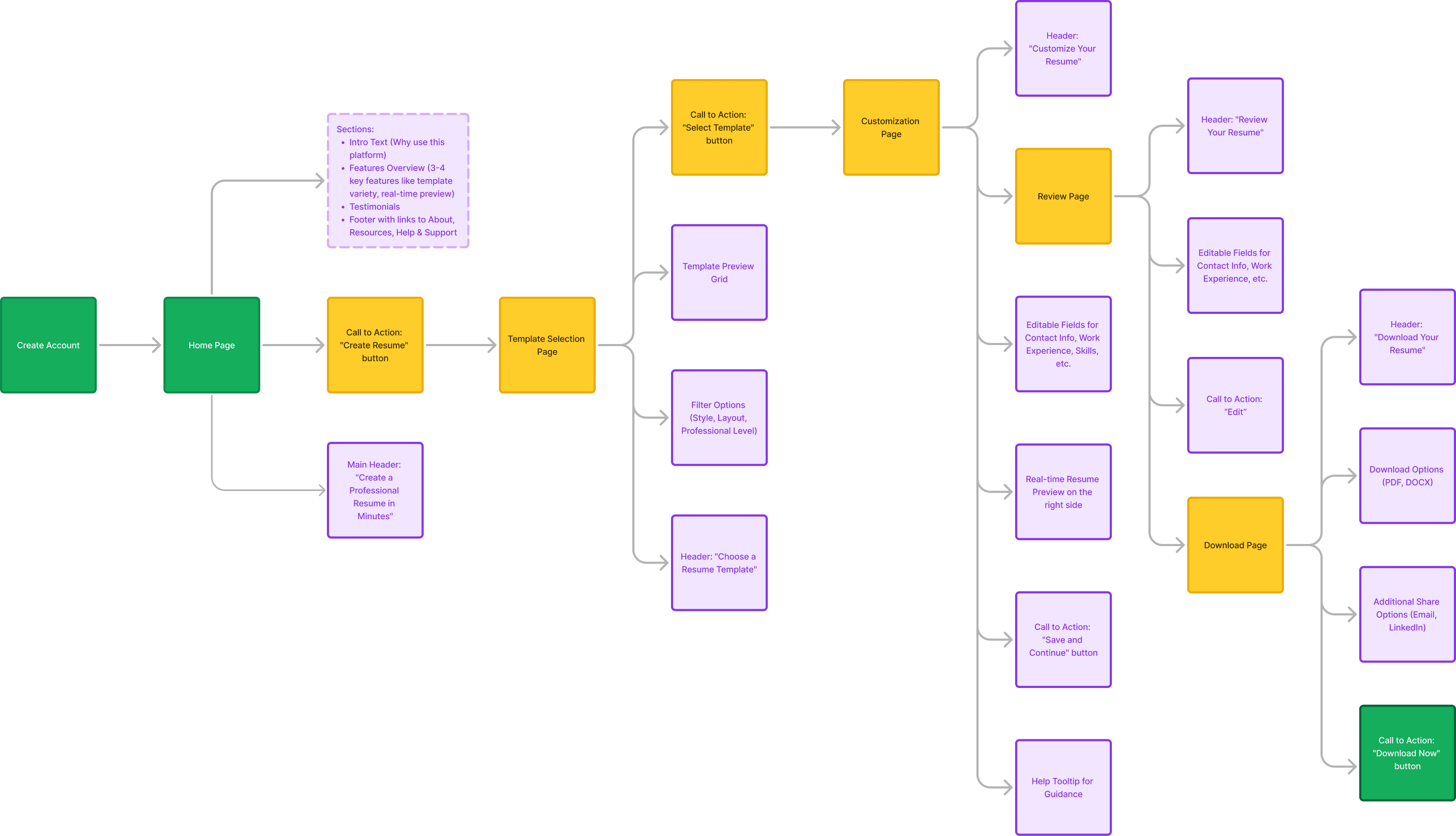
After Validation the IA then what - site map?
I validated the IA with the stakeholders, product and tech team, I worked on creating a high level site map in FigJam.The site map included:
Home Screen
Template Selection
Resume Builder Workspace
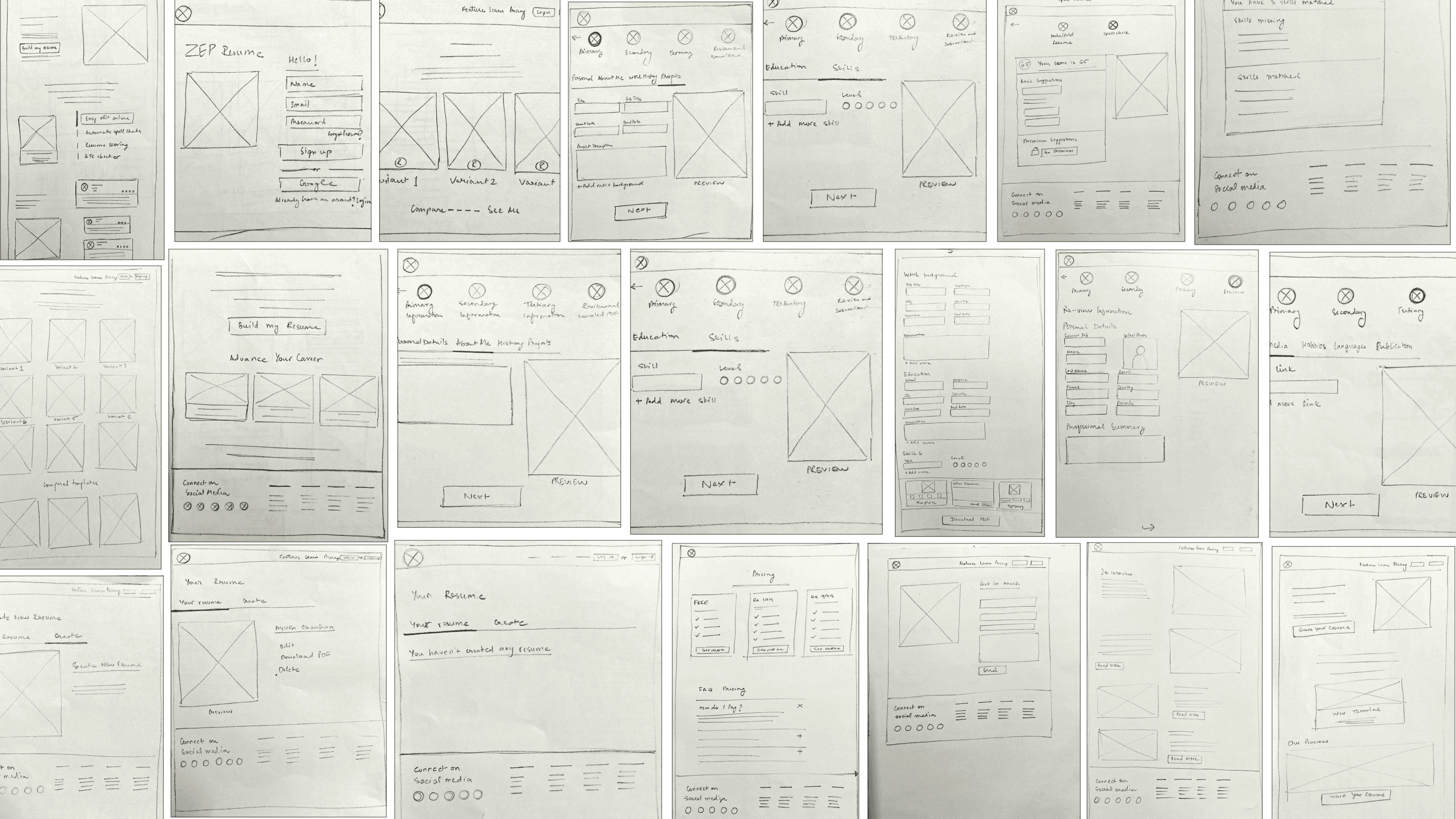
wireframes
Utilizing tools like Figma, we developed low-fidelity wireframes.
Important screens included:
Iterative Refinements & Connecting Elements
Refining Based on Feedback:
Incorporating user feedback, we iteratively refined our wireframes. Key adjustments included:
Simplified Template Navigation
Guided Prompts (Added tooltip hints and step-by-step prompts)
04 deliver
Coming to the same question again - How does the ZEP Resume Builder address user needs?
Problem 1: Limited Customisation Options
Most existing platforms provide generic templates with minimal customisation, leading to less personalised resumes.
Solution 1: Our platform features a diverse range of customisable templates that allow users to create unique resumes tailored to their personal brand.
Problem 2: Lack of Guidance and Support
Users often struggle with what to include in their resumes and how to structure their content effectively.
Solution 2: The ZEP Resume Builder integrates contextual help and writing tips, guiding users throughout the resume-building process.
Problem 3: Confusing User Interfaces in Existing Resume Builders
Many resume builders have complex, cluttered interfaces that confuse users.
Solution 3: ZEP Resume Builder offers a clean, intuitive layout that simplifies the resume creation process.
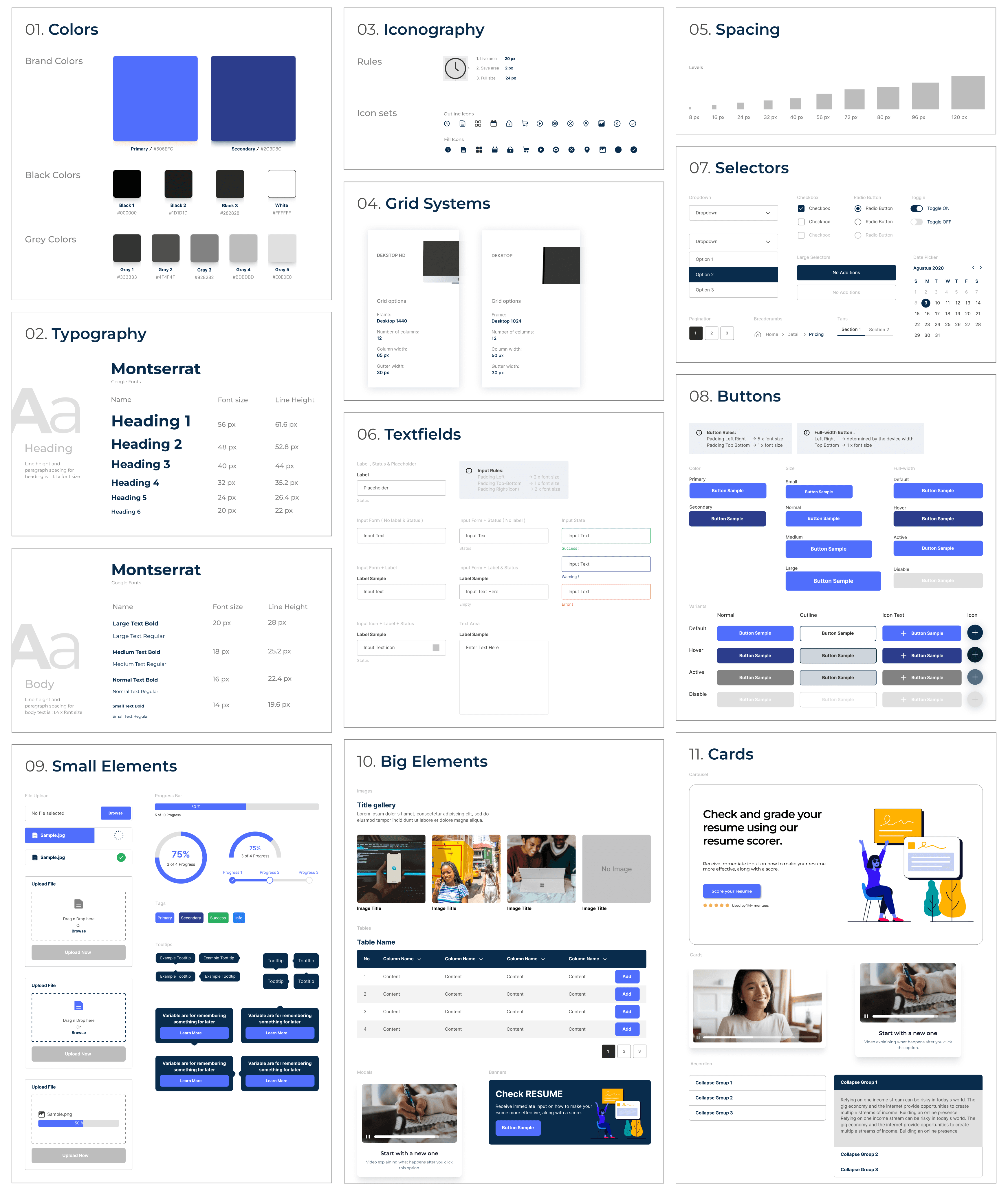
Design System Development
Approach: We established a modular design system:
Color Scheme:
Primary Colours: Shades of blue (HEX #2D88FF) to evoke trust and professionalism.
Secondary Colours: Soft grays and whites to maintain a clean, uncluttered interface.
Typography: A primary typeface, Figtree, was chosen for its readability across devices and its clean, modern appearance.
Template System: The platform offers a variety of customisable templates, allowing users to switch between designs without losing their content.
And many more like: Component Library, Buttons etc
Exercise + Goal Completion 👏 -
"Visual Design"
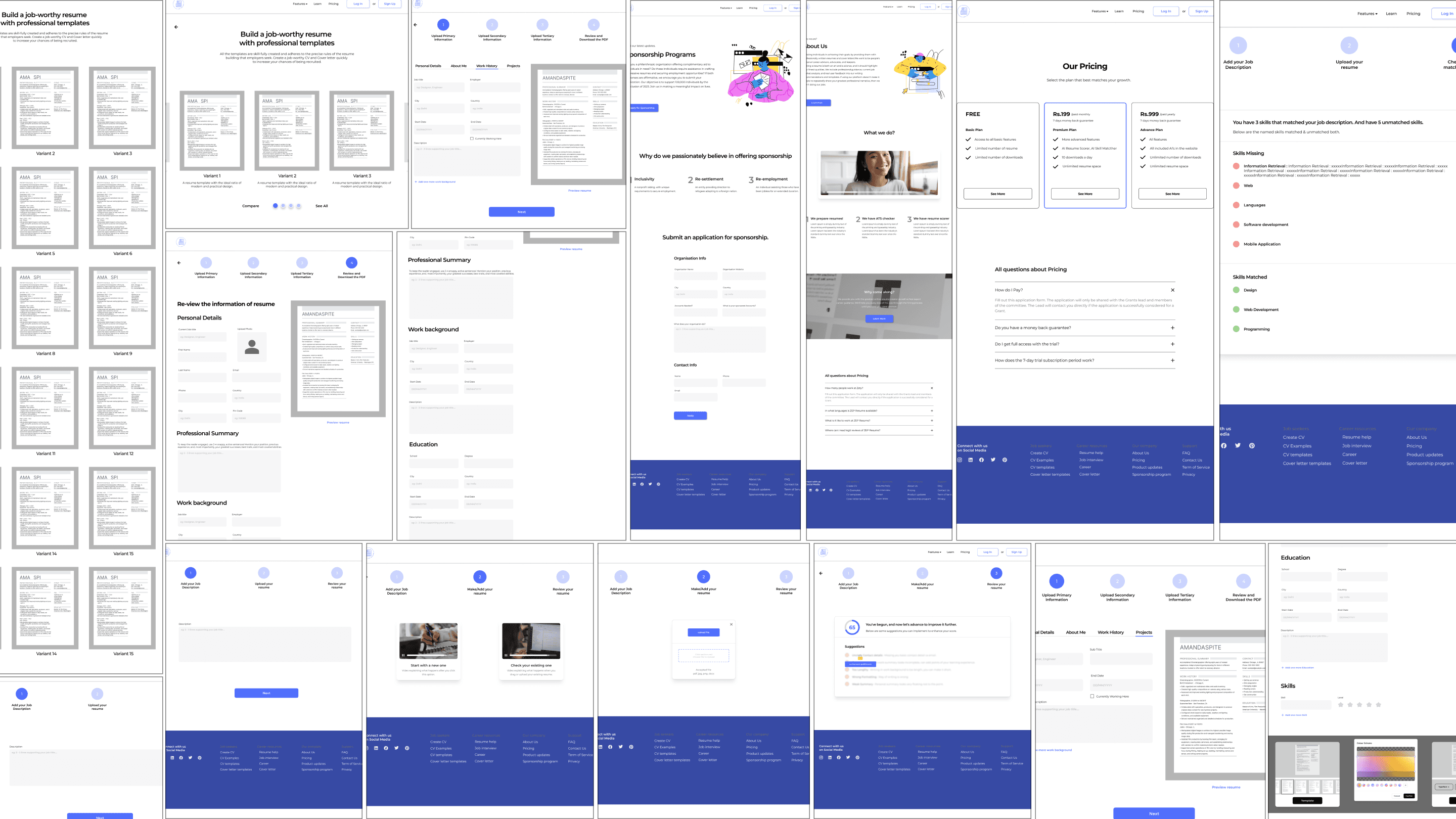
Utilizing tools like Figma, we developed Hi-fidelity wireframes.
Important screens included:
Functionality
(inclusive of user flows)
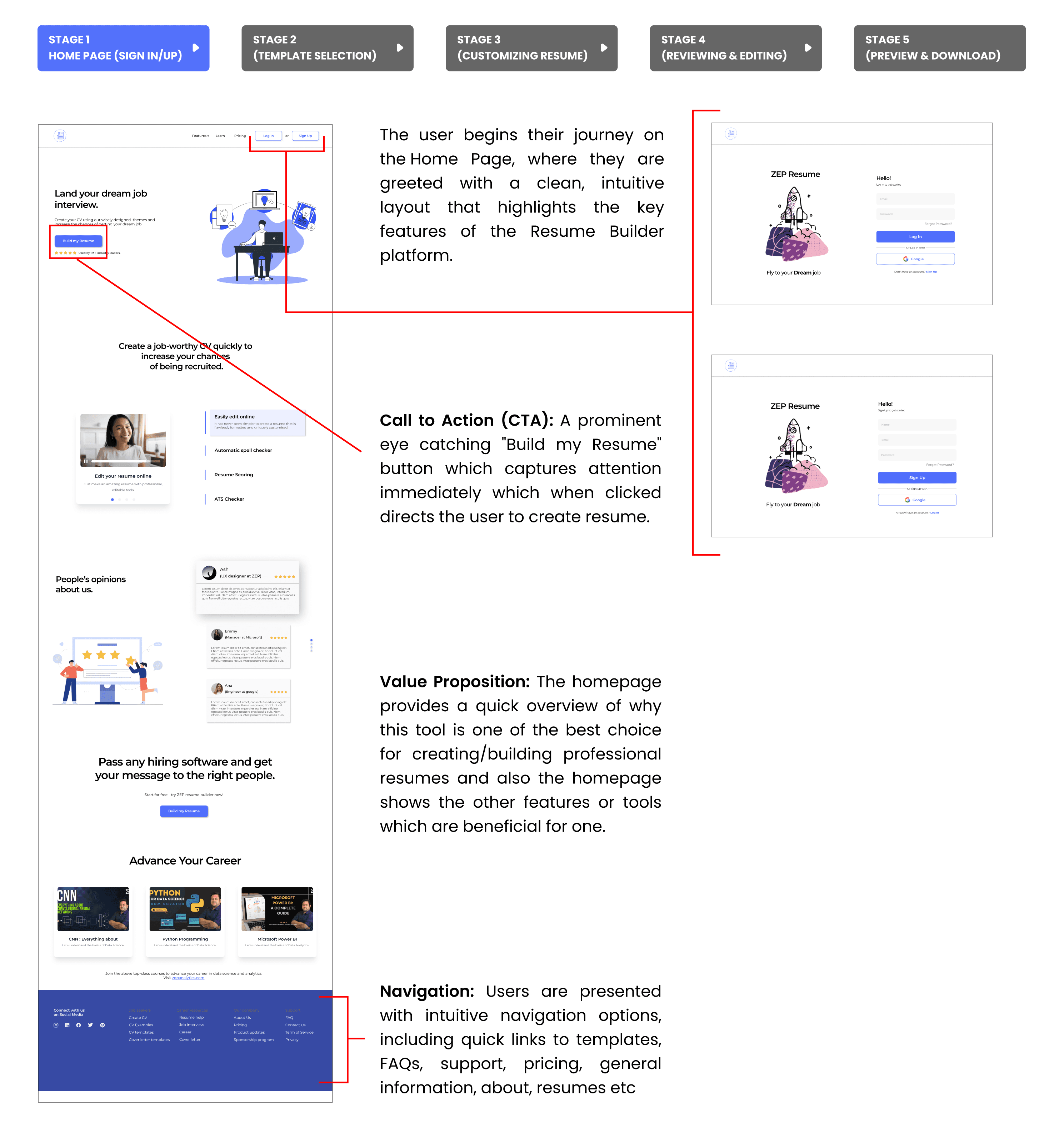
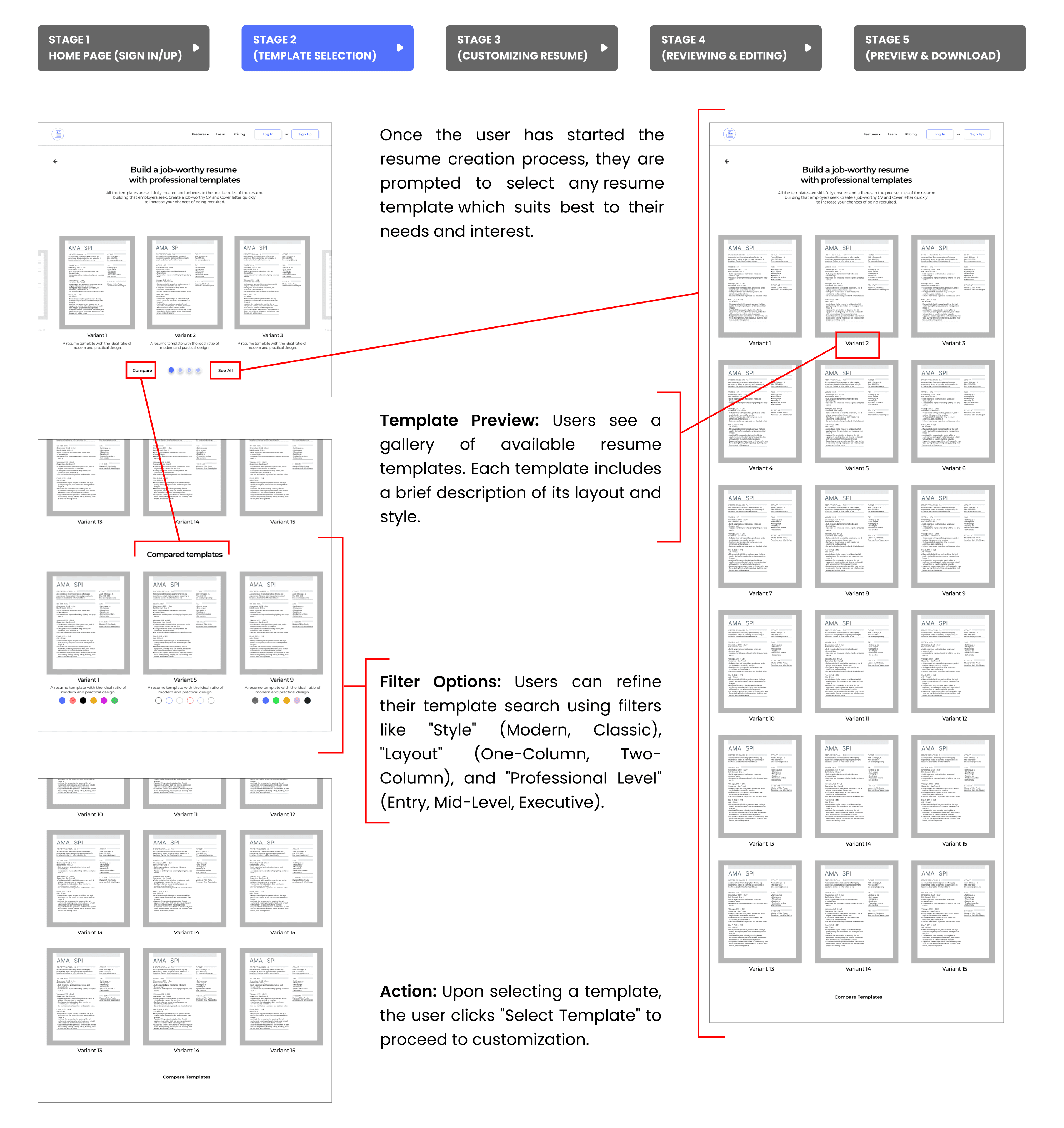
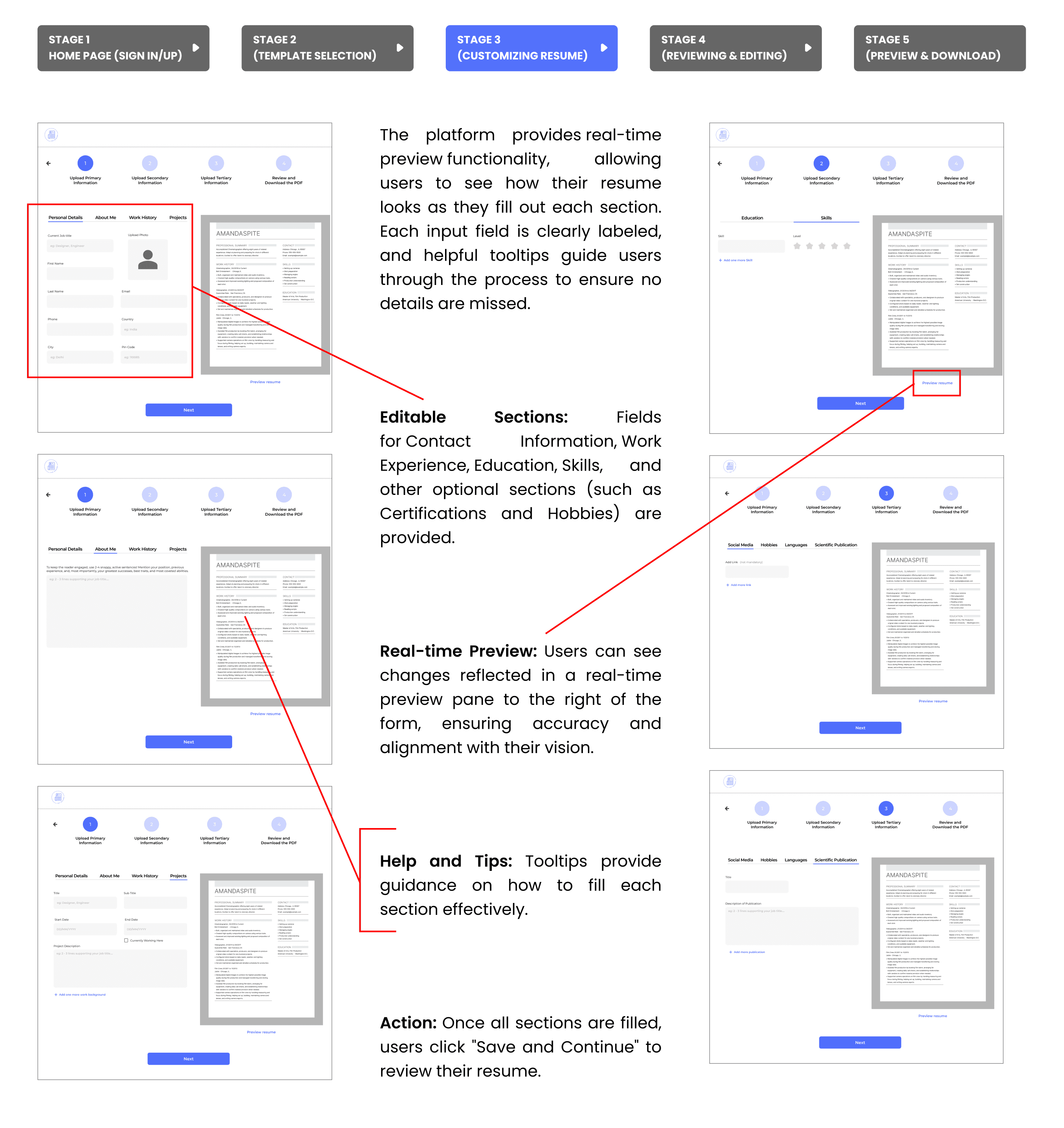
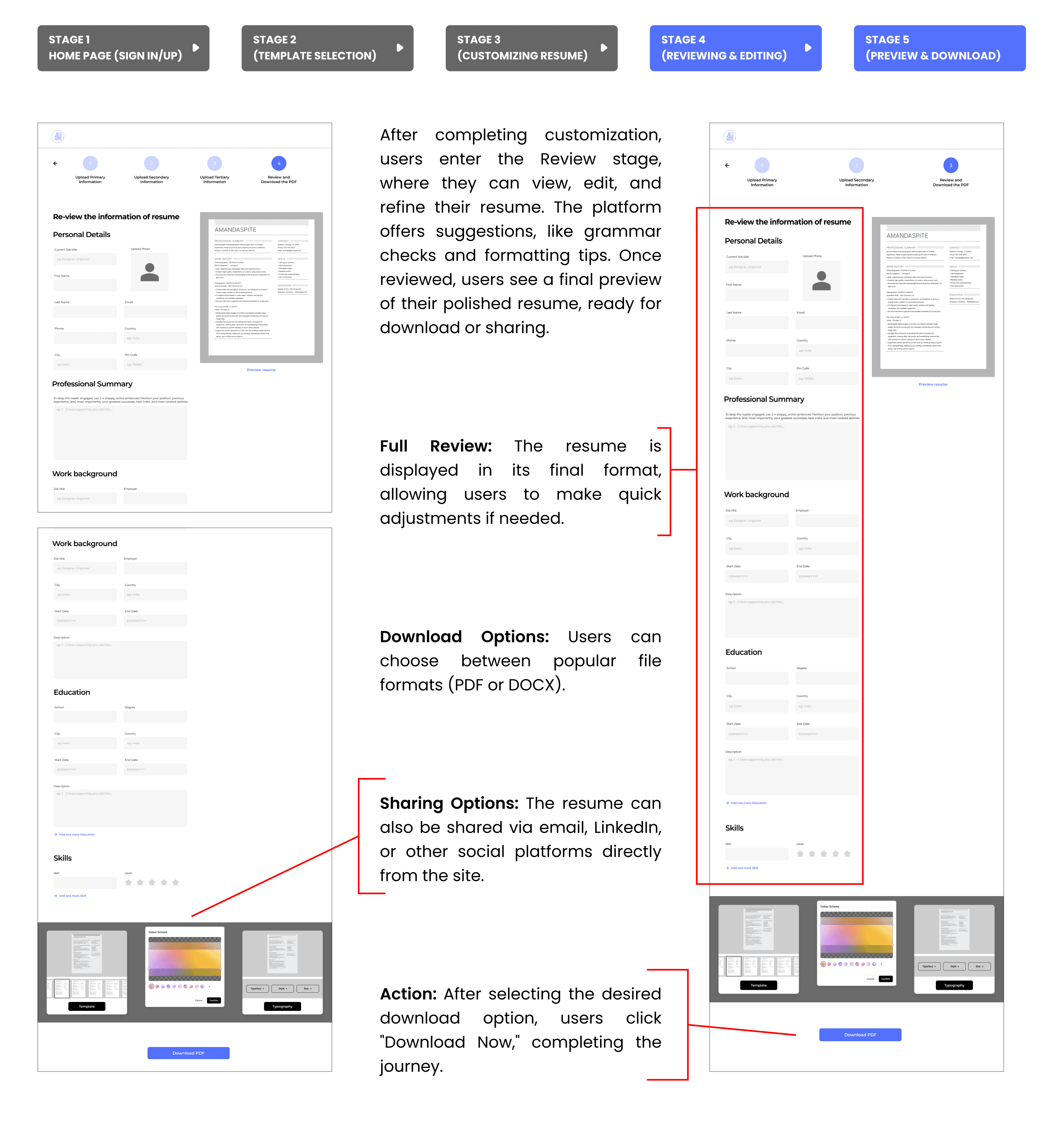
Highlighting the primary user flows: which is the main journey of a user as they navigate through the Resume Builder.
Below is a step-by-step breakdown of this primary user flow which is Home Page to Create Resume
key reflections
Always fight for good UXI had to work under strict technical constraints, fighting for what I believe is essential to having a good user experience, while keeping business goals in mind.
Make a lot of designs options if you are working from far away from the teamThere are some stakeholders and colleagues too who absolutely love to say no. In the ideation phase, come up with as many ideas as possible
Empathy is Key
By involving users at every stage, we learned how essential it is to understand their needs and pain points. Their feedback directly shaped our design choices, making the final product much more user-friendly.